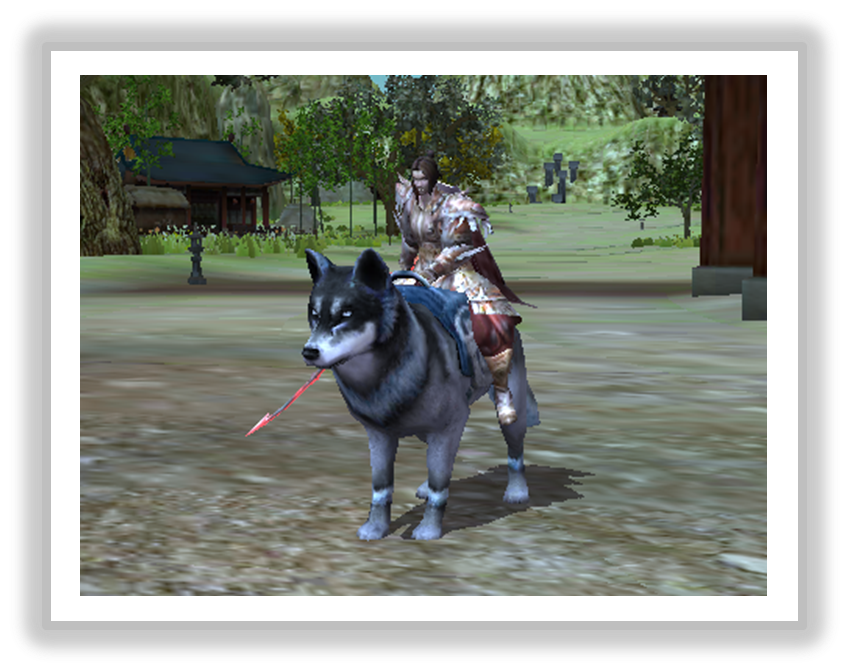
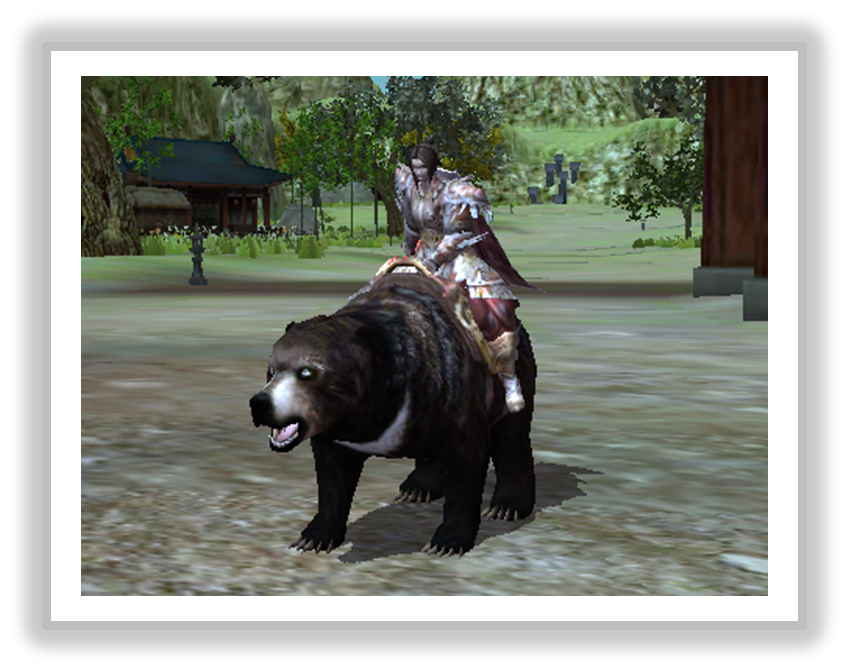
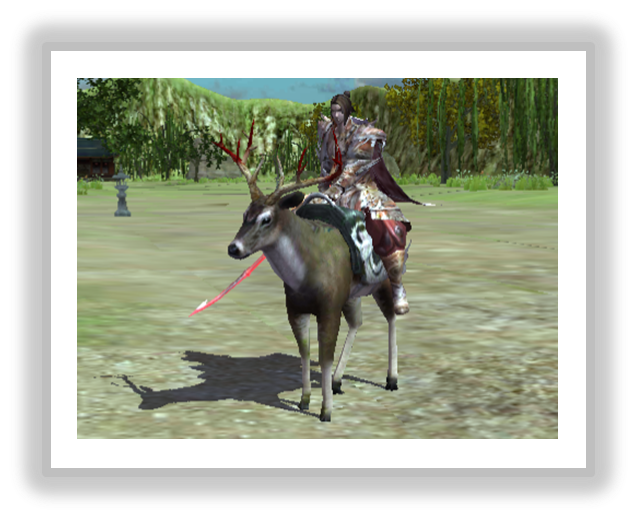
You can check out game guide on 12SKY M GLOBAL

● Overview
- It can be obtained through Random mount box A and can be worn and summoned by moving it to Mount inventory.
- You can ride the Mount, and it provides additional stats when riding it.
- 3th / 8th / Stun and Awaken skills cannot be used when riding a mount.
● Random mount box A
- It can be purchased through the event store, and when used, you can obtain Black Bear/Blood Bull/Battle Ferret/Snow Wolf.
● List of obtainable mounts
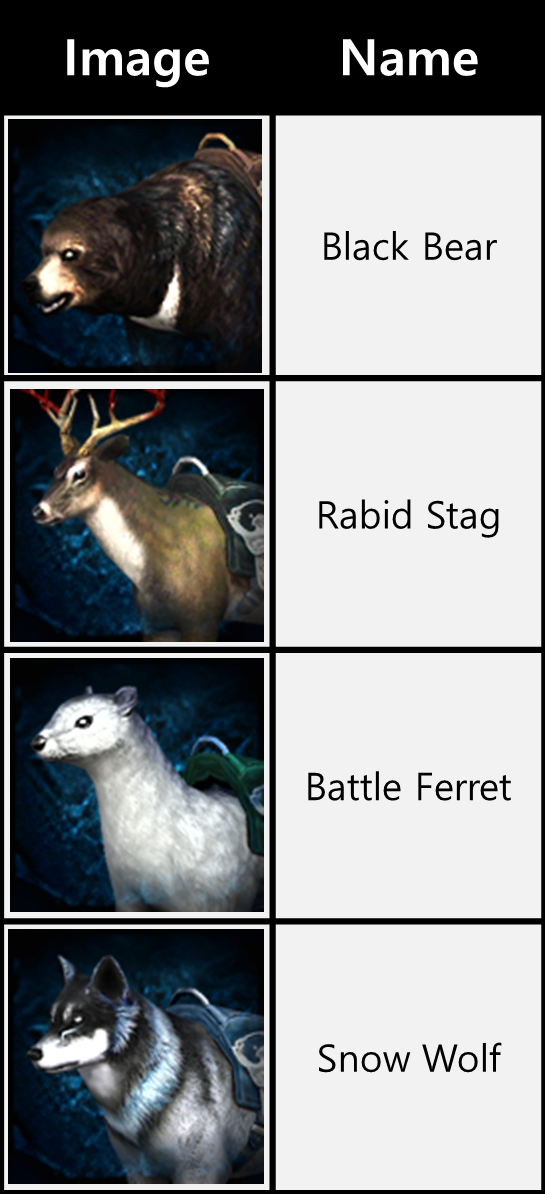
- There are a total of 4 types of mounts that can be obtained through Random mount box A.
- When using Random mount box A, you will obtain a random mount.
※ All Spirit Essences obtained from the chest are acquired as UT (Bound) items.
● Mount options
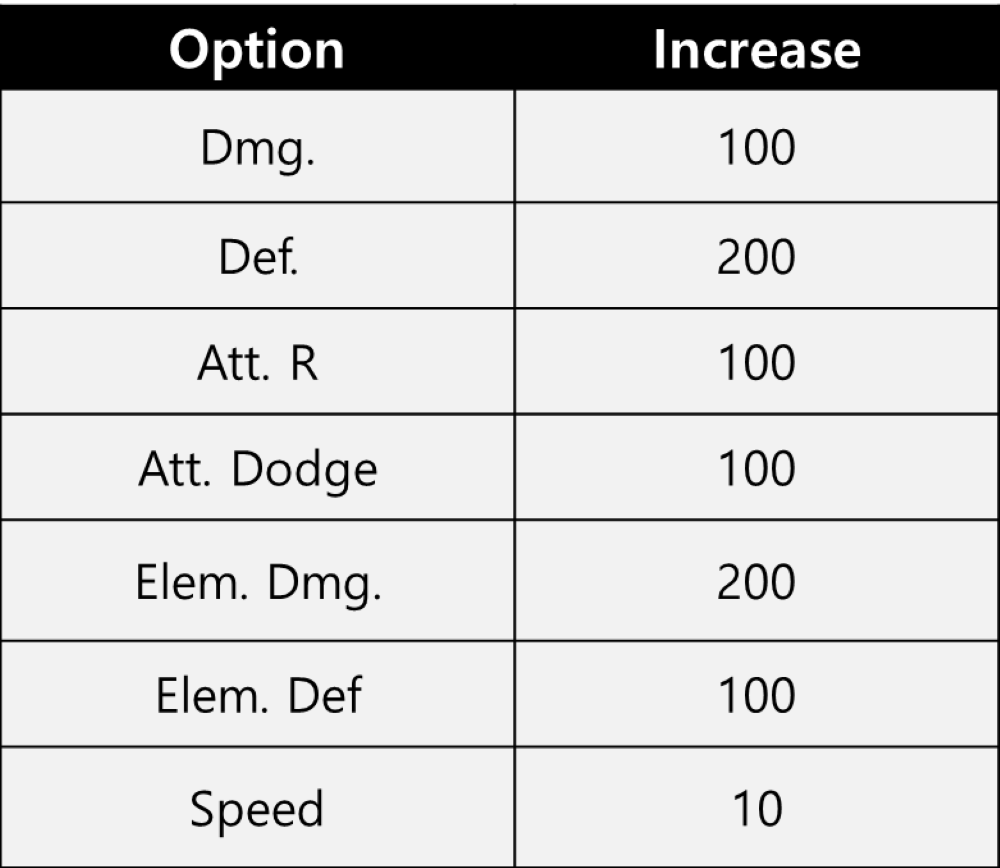
- There are a total of 7 abilities that Mount can acquire.
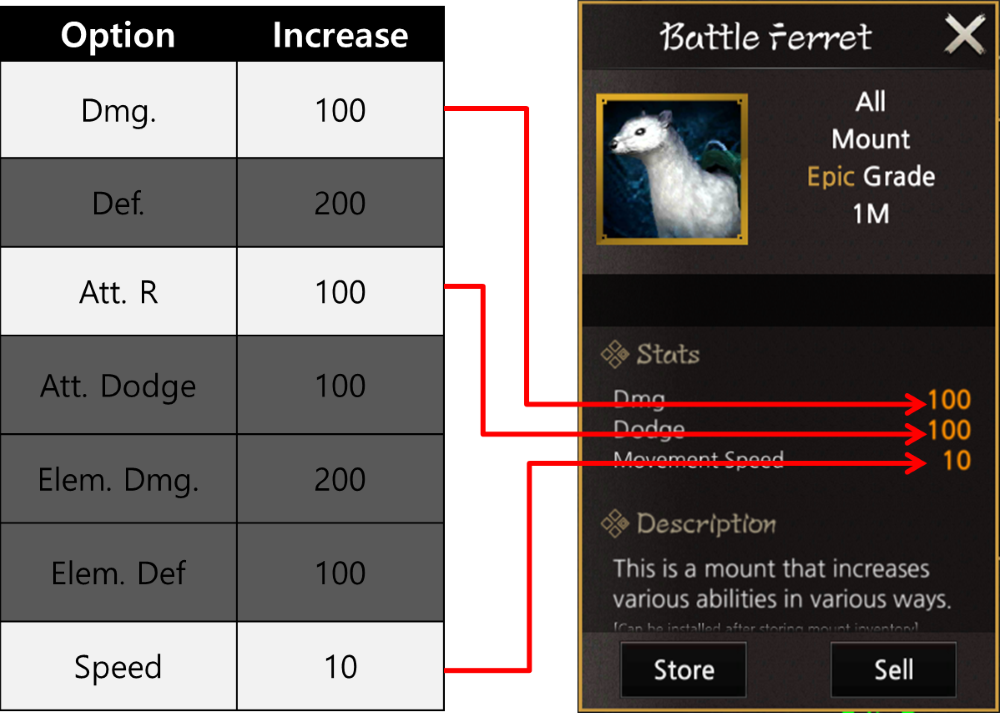
- When acquiring a mount, 3 out of 7 abilities are randomly assigned.
- Abilities do not overlap and cannot be changed.
- When riding a mount, abilities are applied and mount active time is deducted.
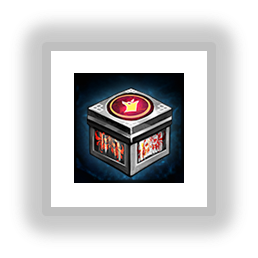
● Random mount box B
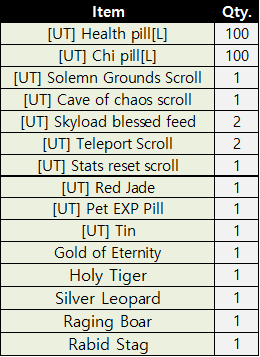
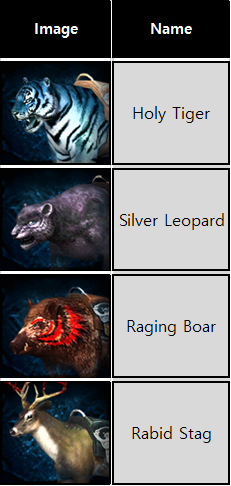
● List of obtainable mounts
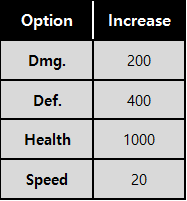
● Mount options
● Random Mount Box C
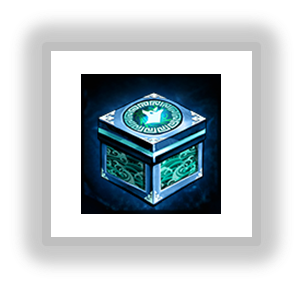
- Available for purchase through the Gold Shop. Upon use, you can obtain Fierce Holy Tiger, Fierce Snow Wolf, Fierce Silver Leopard, Fierce Black Bear, or various other items.
● Obtainable Mount List
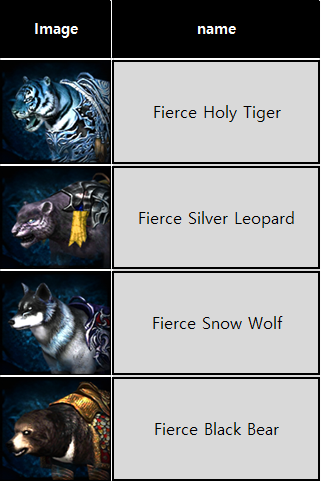
- A total of 4 Mounts can be obtained from Random Mount Box C.
● Mount Options
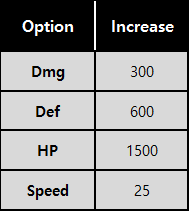
● Silver Mount Box C
- Available for a limited purchase with Silver from the Event Shop. Upon use, you can obtain [UT] Fierce Raging Boar, [UT] Fierce Blood Bull, [UT] Fierce Rabid Stag, [UT] Fierce Battle Ferret, or various other items.
● Obtainable Mount List
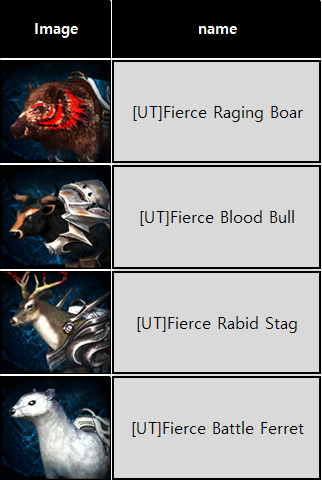
- A total of 4 Mounts can be obtained from Silver Mount Box C.
● Mount Options
● Random mount box D
- Available for a limited purchase with Silver from the Event Shop. Upon use, you can obtain Battle Holy Tiger, Battle Snow Wolf, Battle Black Bear, Battle Silver Leopard, or various other items.
● Obtainable Mount List
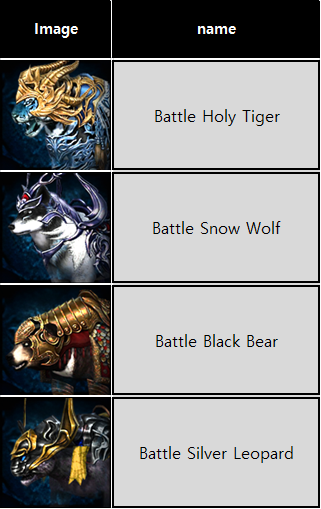
- A total of 4 Mounts can be obtained from Random mount box D.
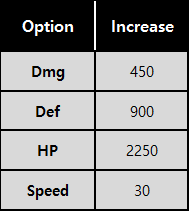
● Mount Options
● Skyload blessed feed
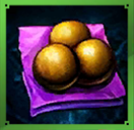
- Skyload blessed feed can be purchased through the Gold Coin Shop and Silver Coin Shop.
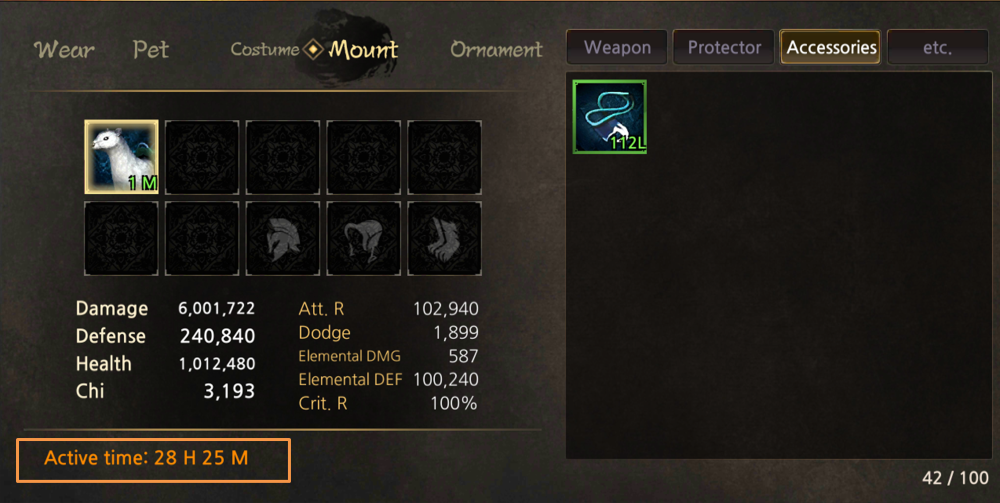
- In order to summon a mount, 'mount active time' is required, and using Skyload blessed feed increases the mount's active time.
- For each Skyload feed, 3 hours of ‘mount active time’ are added.
※ Mount active time is deducted only while riding or summoning the mount.
● Mount Equip/Usage Guide
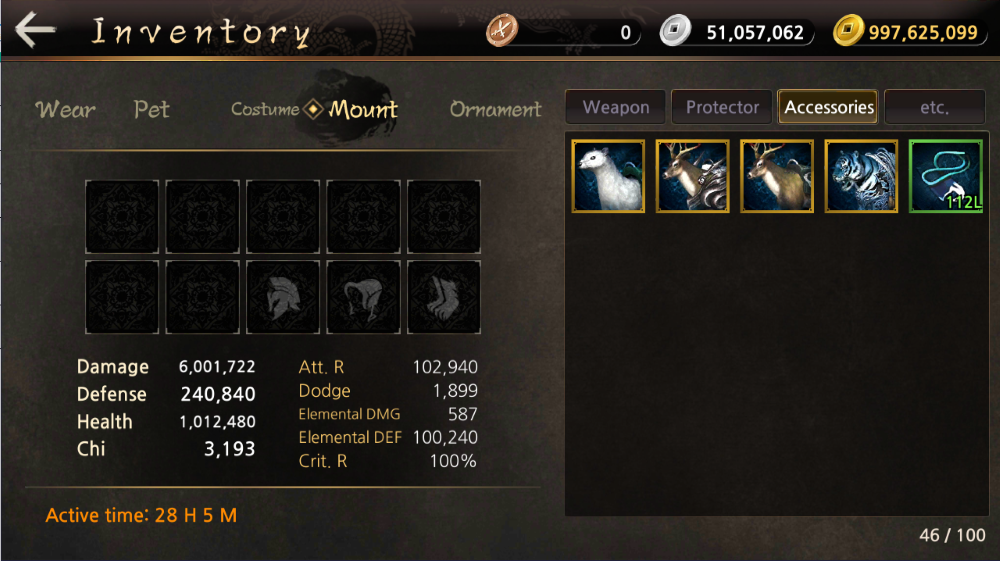
1. In order to equip a mount, you must first move the mount located in inventory to mount inventory.
A total of 10 mounts can be stored in mount inventory.
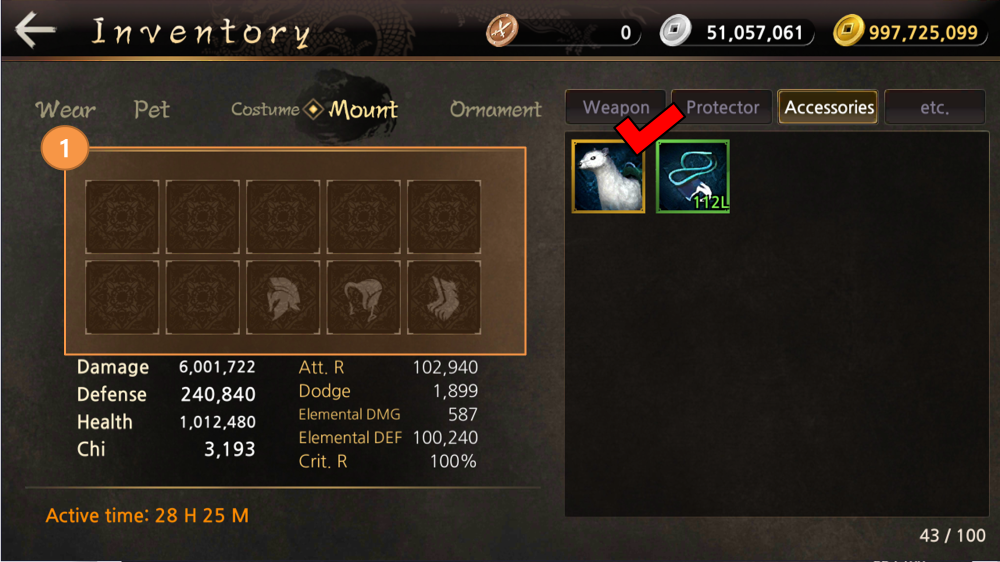
1. Touch the desired mount and then touch Store mount inventory to move the mount.

1. You can summon it by equipping the mount stored in the mount inventory.
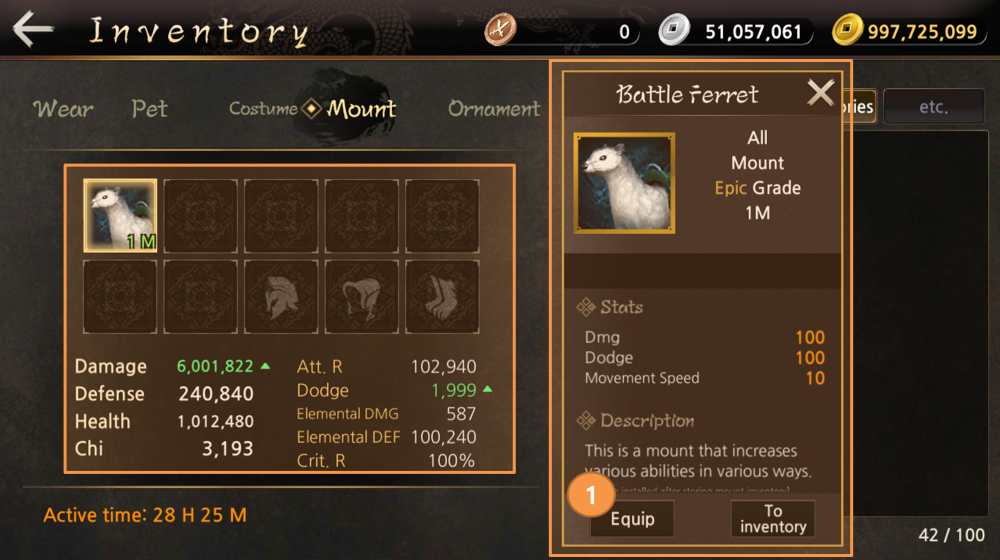
1.Mount abilities are applied even if you just equip the mount.
You must have Mount active time to apply Mount abilities and summon it.
※ Mount active time is deducted only while equipping or summoning the mount.
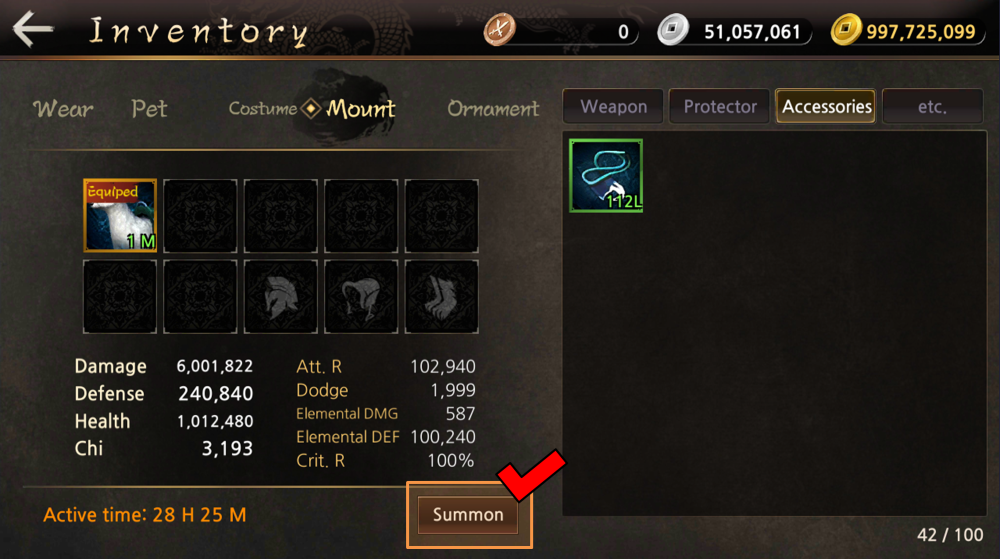
1. You can summon an equipped Mount by touching it.
If there is no Mount active time, summoning is not possible.
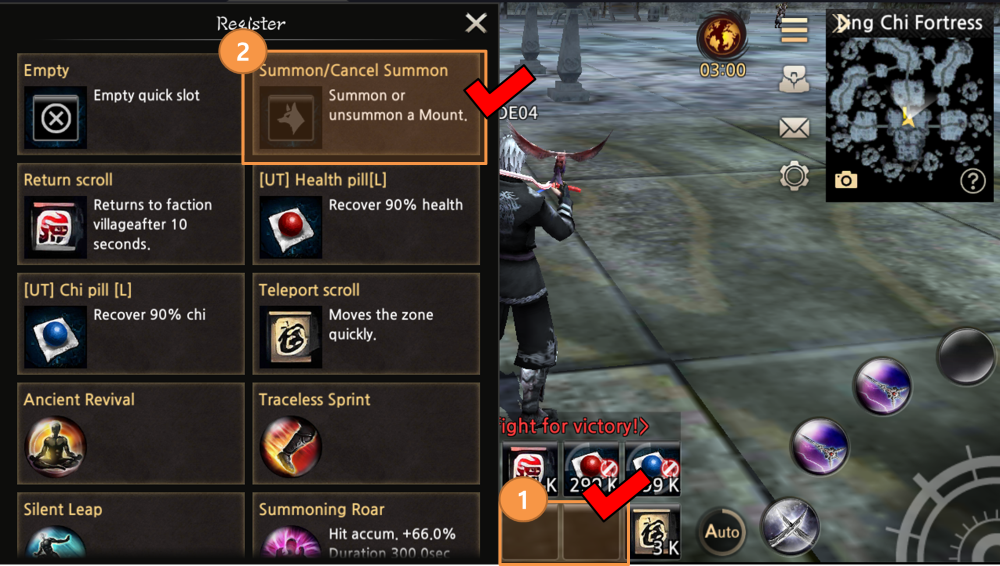
1. You can register the ‘Summon / Unsummon’ icon by touching and holding the skill slot on the main screen.
2. Touch ‘Summon / Cancel summon’ Icon to register.
If the mount is not equipped, the mount is not registered as shown in the screen.
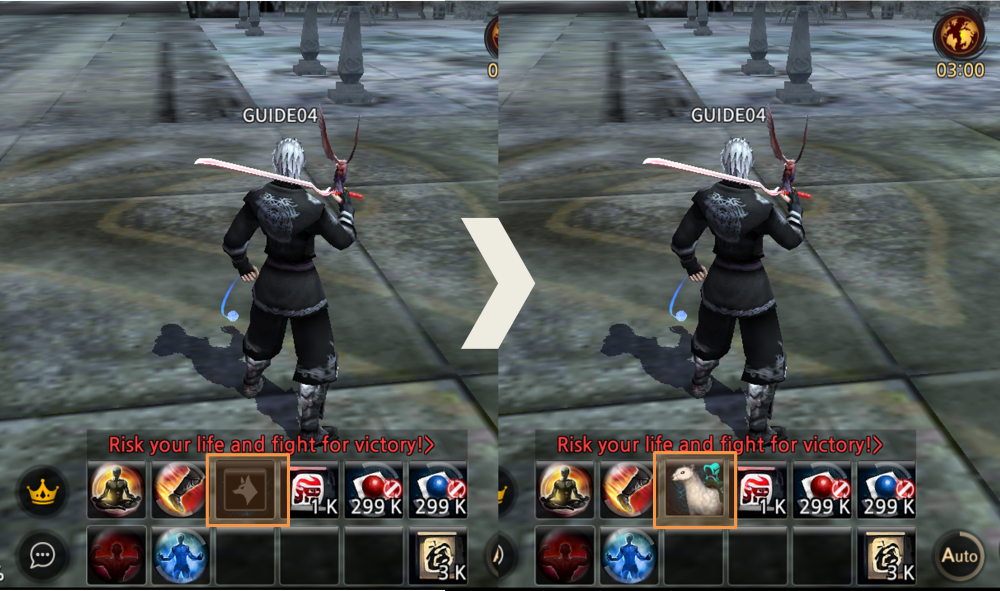
If the mount is equipped, the mount is registered in ‘Summon / Unsummon’ as shown in the screen.
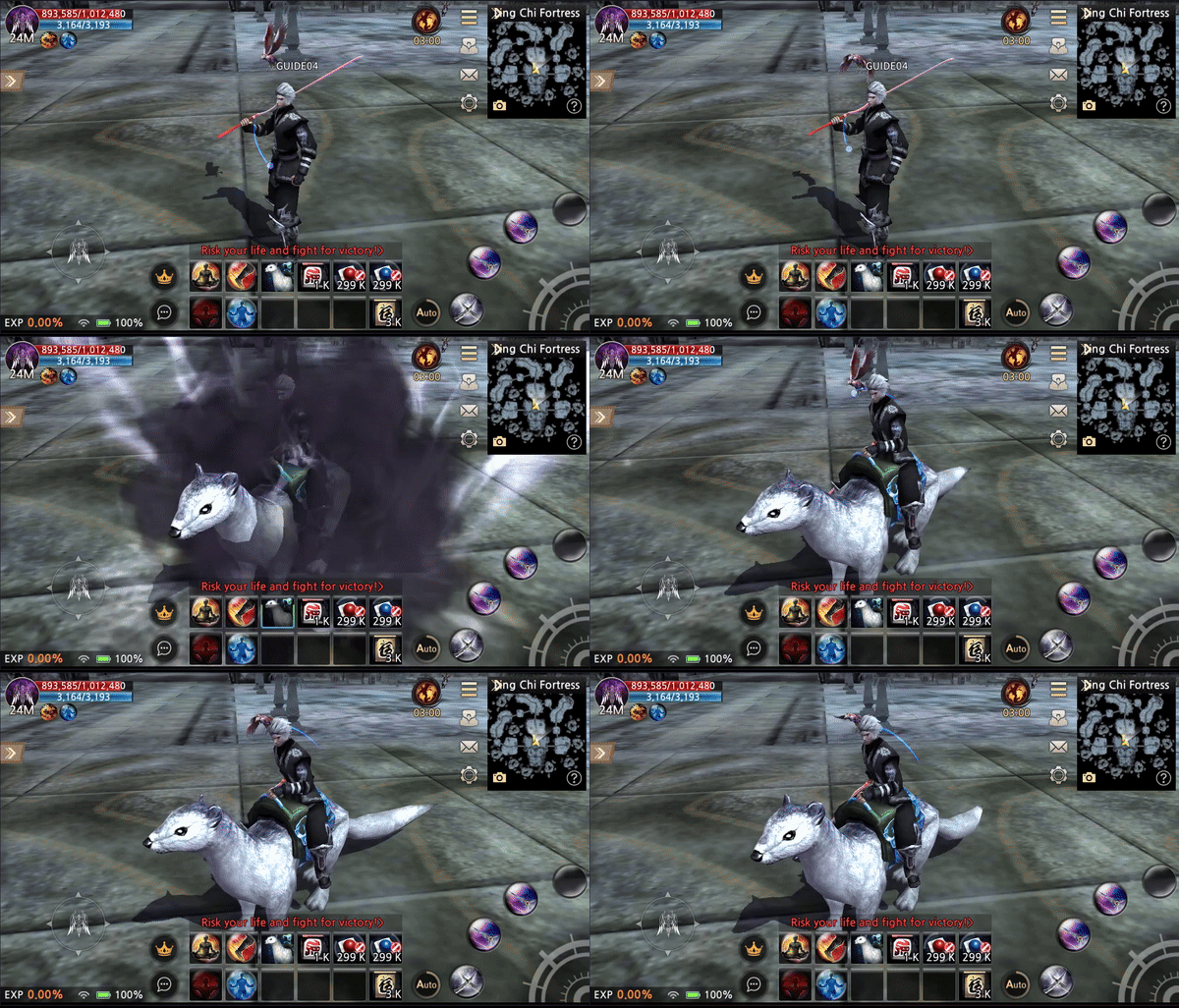
You can easily summon and unsummon a mount by touching 'Summon / Unsummon'.
● Mount riding status