Stay up to date with the latest information on 12SKY M GLOBAL

Hi, This is 12SKY M GLOBAL Support team
If you encounter issues with Google login failure, you can resolve them using the methods below.
※ Before you proceed, please update the device's os, Google Play Store, Google Play Service, and Google Play Games to the latest version.
※ Do not delete your Google Play Games profile. Once deleted, all game progress will be permanently lost.
■ Solution
1. Open the Play Games app
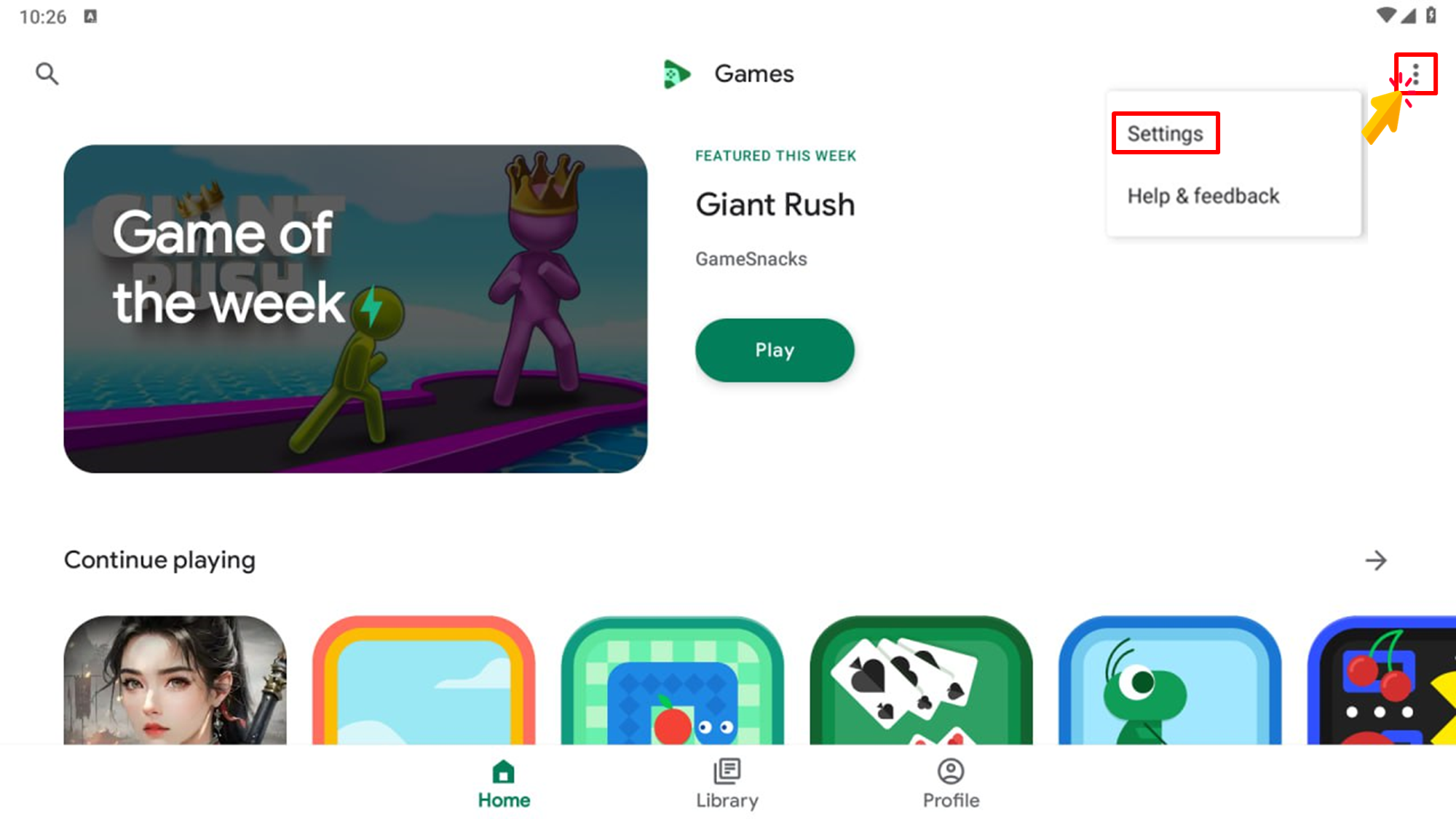
2. Tap (≡) icon placed on the top right corner → go to Settings
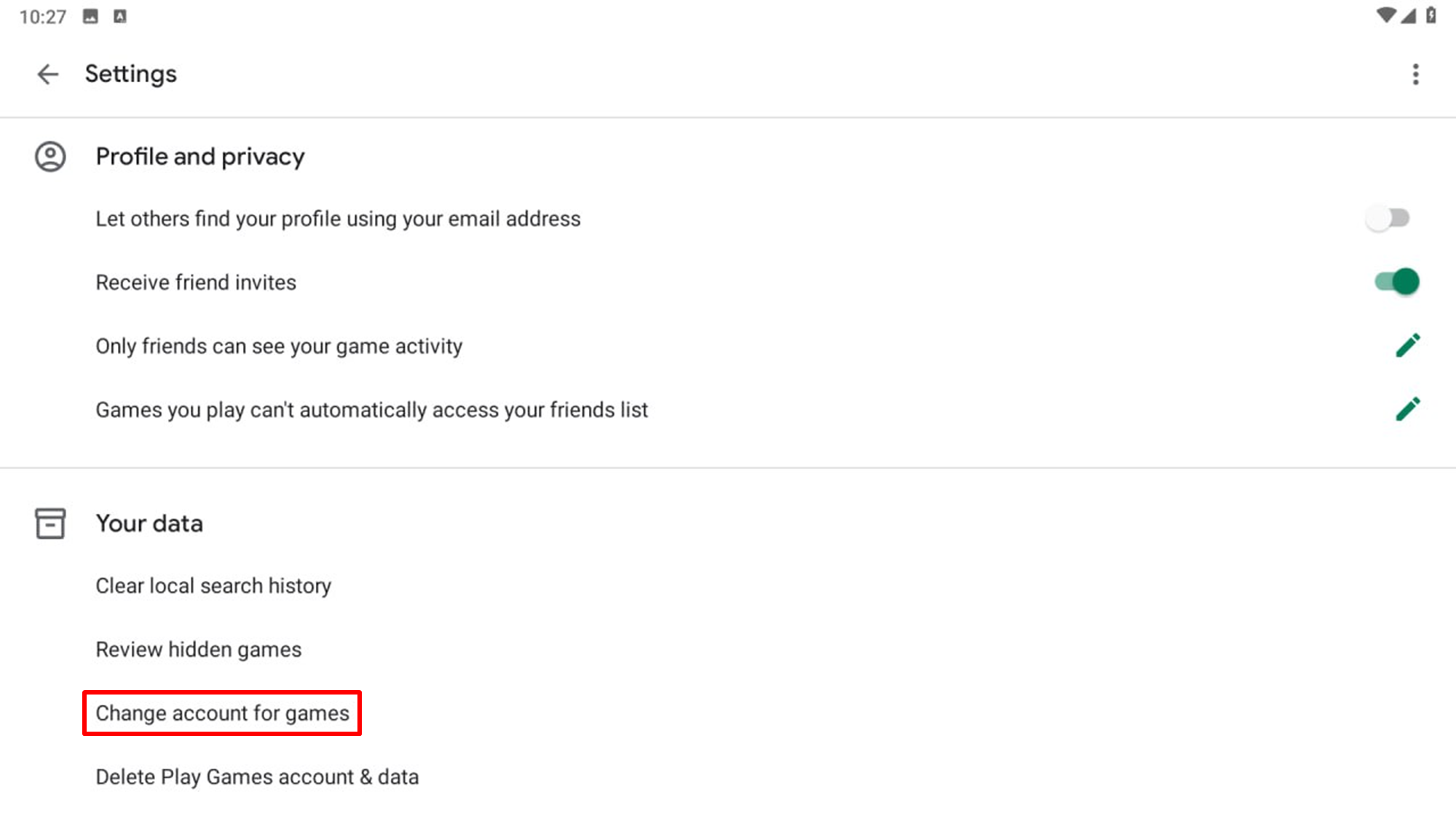
3. [Setting] → [Your Data] → tab [Change account for games]
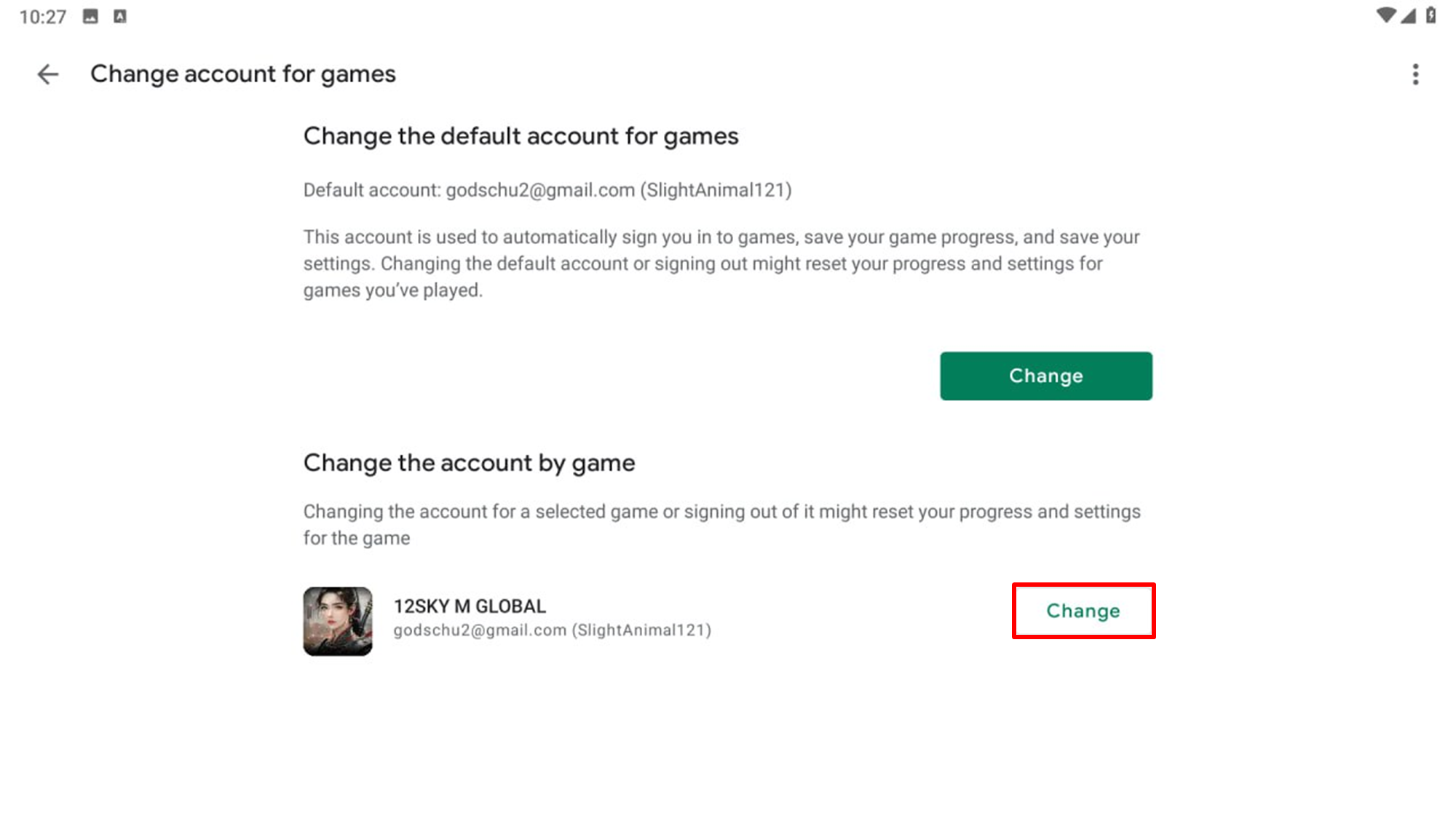
4. Tab [Change] placed beside 12SKY M GLOBAL
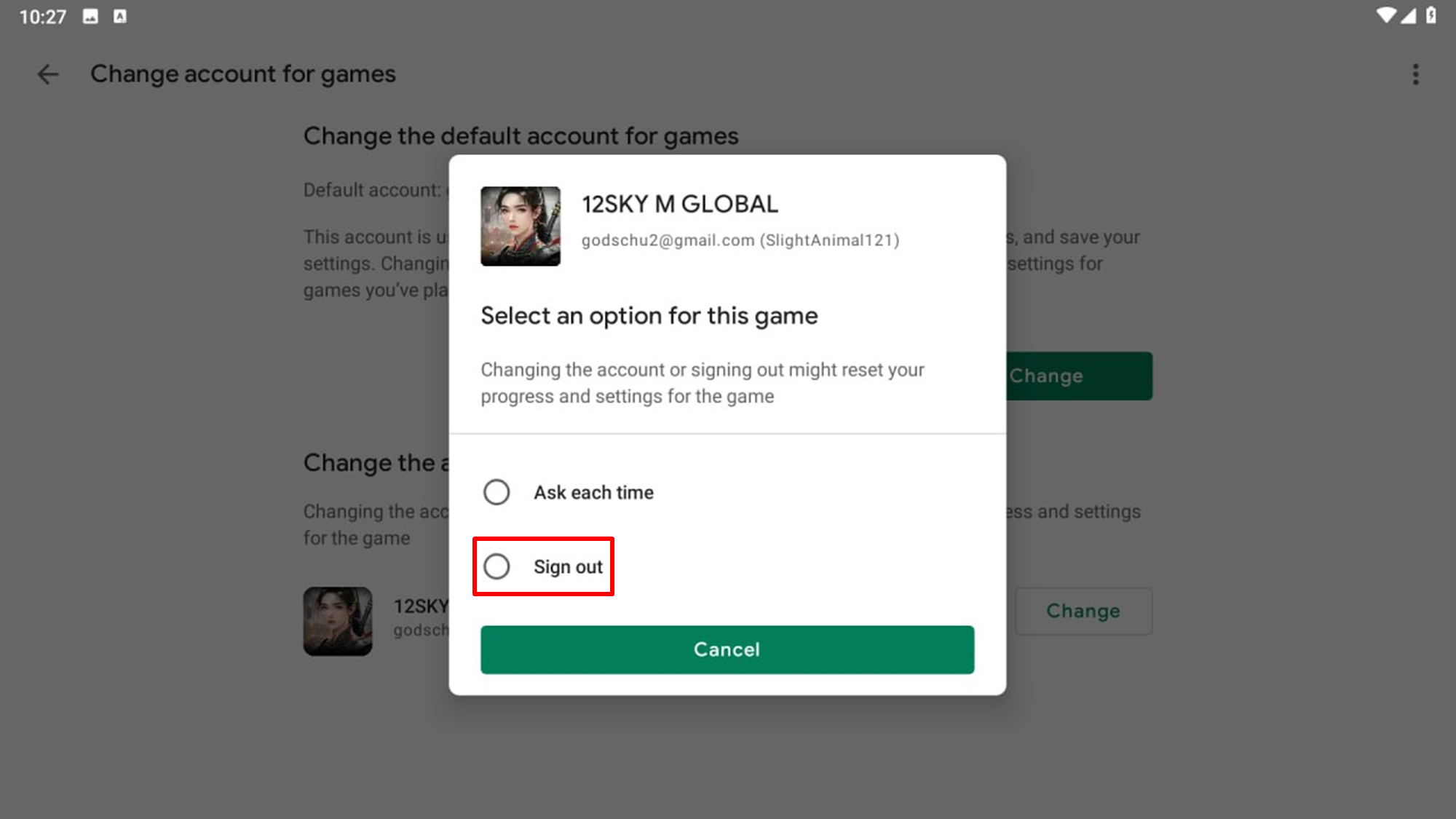
5. Select Sign out
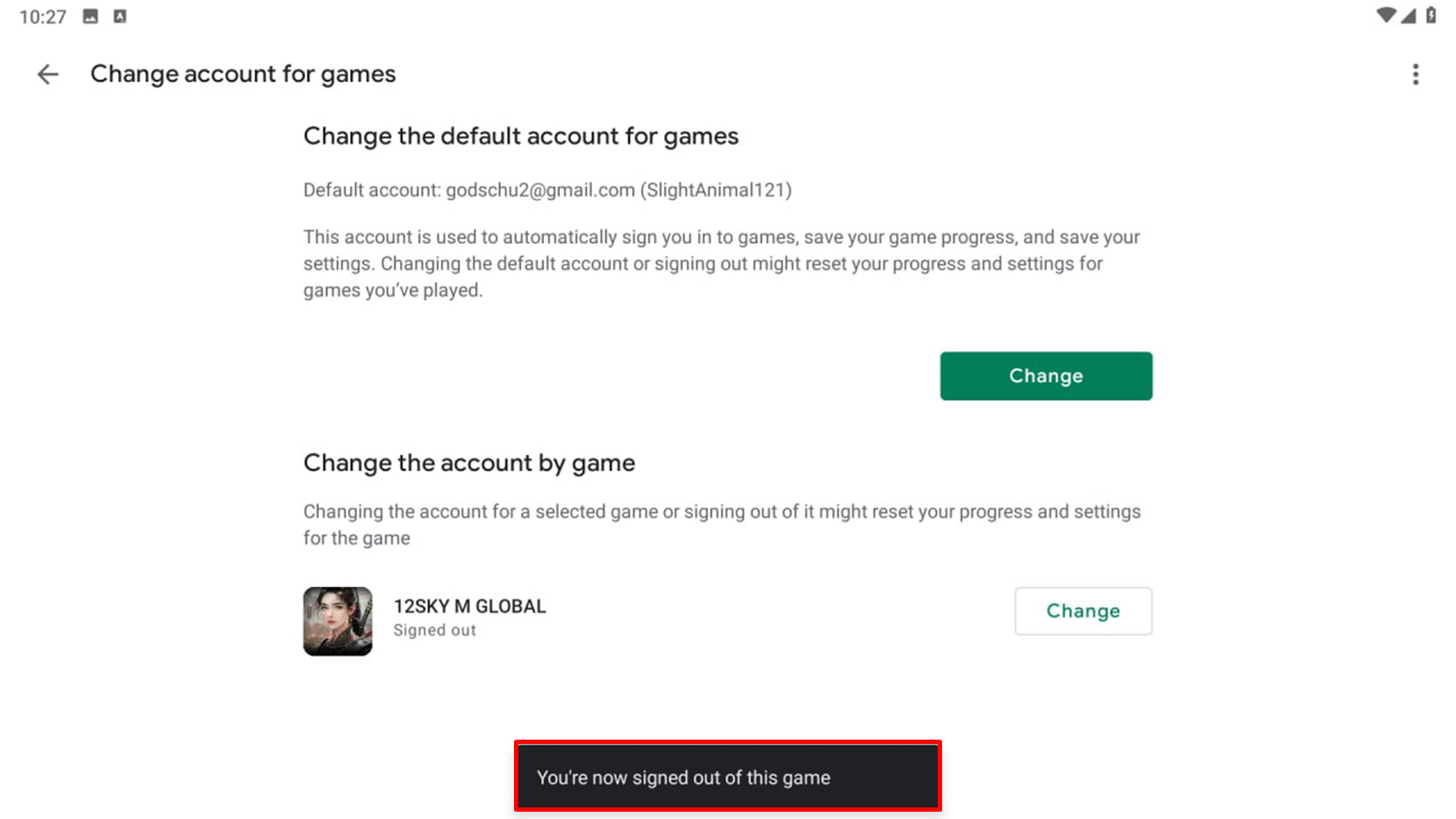
※ If the issue still persists after trying the previous steps, please follow these steps in order:
1. Clear Cache + Reboot
Settings → Apps → Google Play Games → Storage → Clear Cache
Settings → Apps → 12Sky M Global → Storage → Clear Cache
Settings → Apps → Google Play Services → Storage → Clear Cache
Restart your phone
※ In some cases, you may also need to clear data:
Settings → Apps → Google Play Games / Google Play Services → Storage → Clear Storage / Clear Data
(Note: This will log you out of Play Games, so you’ll need to log in again.)
2. Set Profile Name
Open Google Play Games app → Tap your profile icon
Edit name → Change to a combination of English letters and numbers only (Example: Player123)
※ Names containing spaces only, emojis, special characters, or non-English text may cause sync failures.
Most connection and save issues are resolved with the steps above!